Private beta · first 10 spots open now

Plan it with AI.
Approve it like a human.

Write posts yourself in the composer, or let your AI agent draft them. Schedule them for X, Facebook, Instagram and LinkedIn, and nothing goes out until a person approves it.

What you can do today

Write it yourself, or let AI draft

Write posts by hand in the composer, or let an AI agent that supports MCP, such as Claude, ChatGPT or Grok, draft them. Nothing publishes until a person approves it with an authenticator code.

Four networks, one place

X, Facebook Pages, Instagram and LinkedIn. Write once, tweak the text per network, and see live limits and previews.

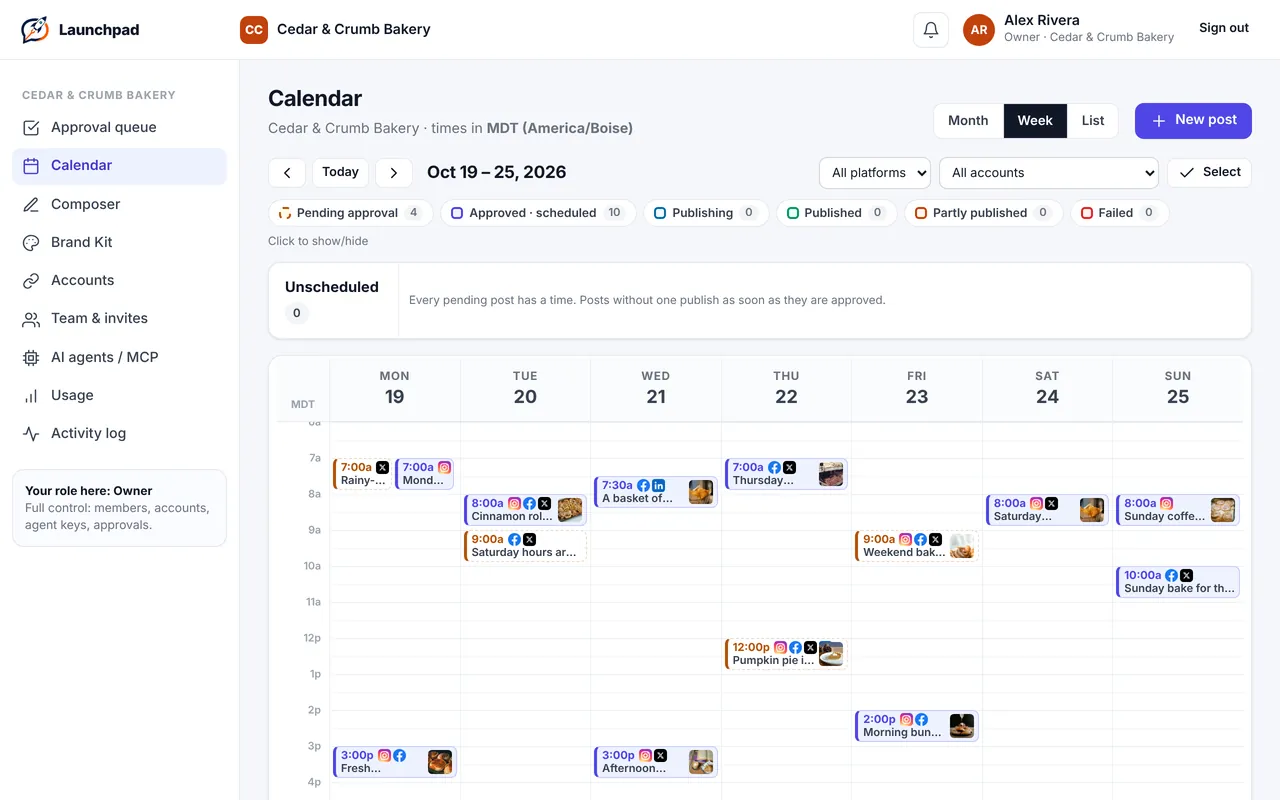
Calendar with drag to reschedule

Month, week and list views. Drag a post to a new time and undo in one click. Approve a whole batch with one code.

Brand Kit and media library

Voice, rules and an emoji limit for every draft, yours or your agent’s, with an advisory brand check, plus a shared media library.

Video, Reels and PDF carousels

MP4 video up to 95 MB, Facebook and Instagram Reels, Instagram carousels and LinkedIn PDF carousels, previewed inline before you approve.

Teams, workspaces and alerts

Owner, Approver, Editor and Viewer roles, separate workspaces per brand, and in-app plus email alerts if a post fails.
See it in action

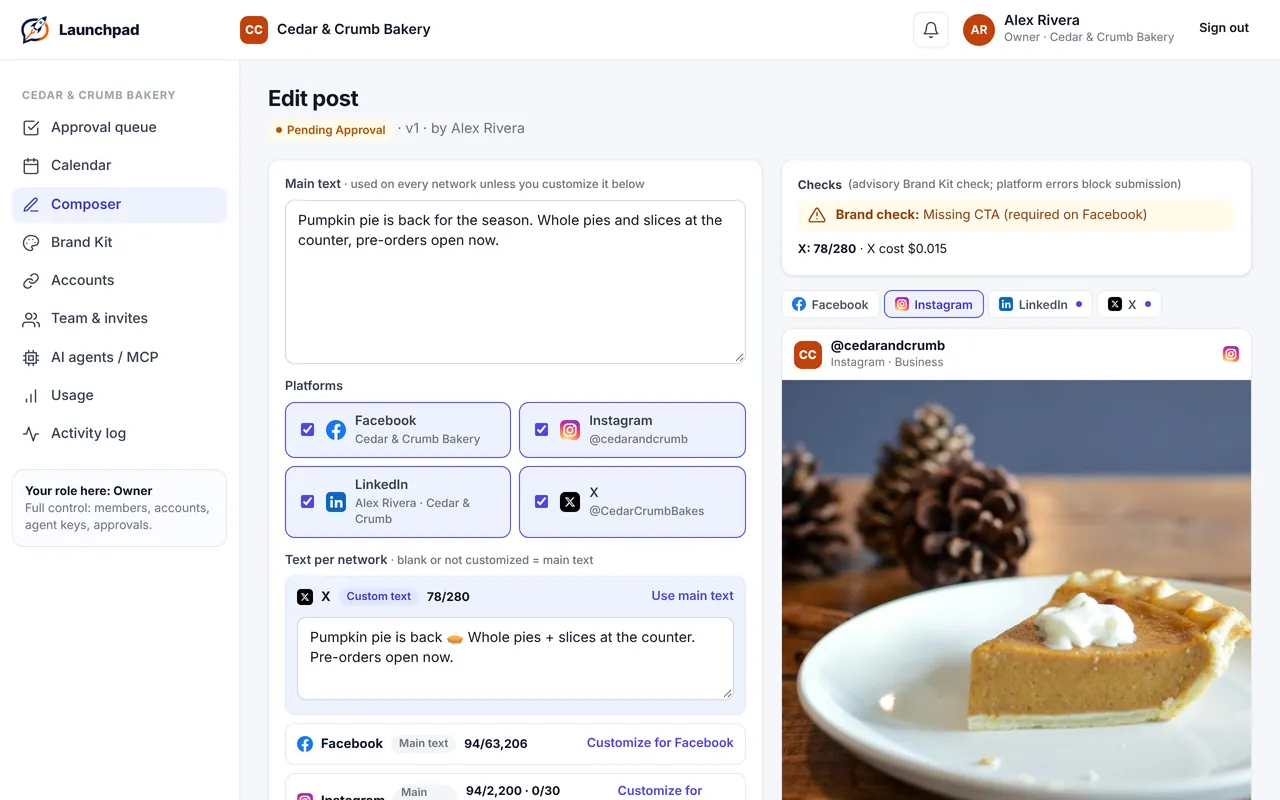
Launchpad composer for a fictional bakery: main post text, four networks selected, custom X text, and an Instagram preview with a photo of pumpkin pie.
Write once, tweak the text per network and check a live preview of each.
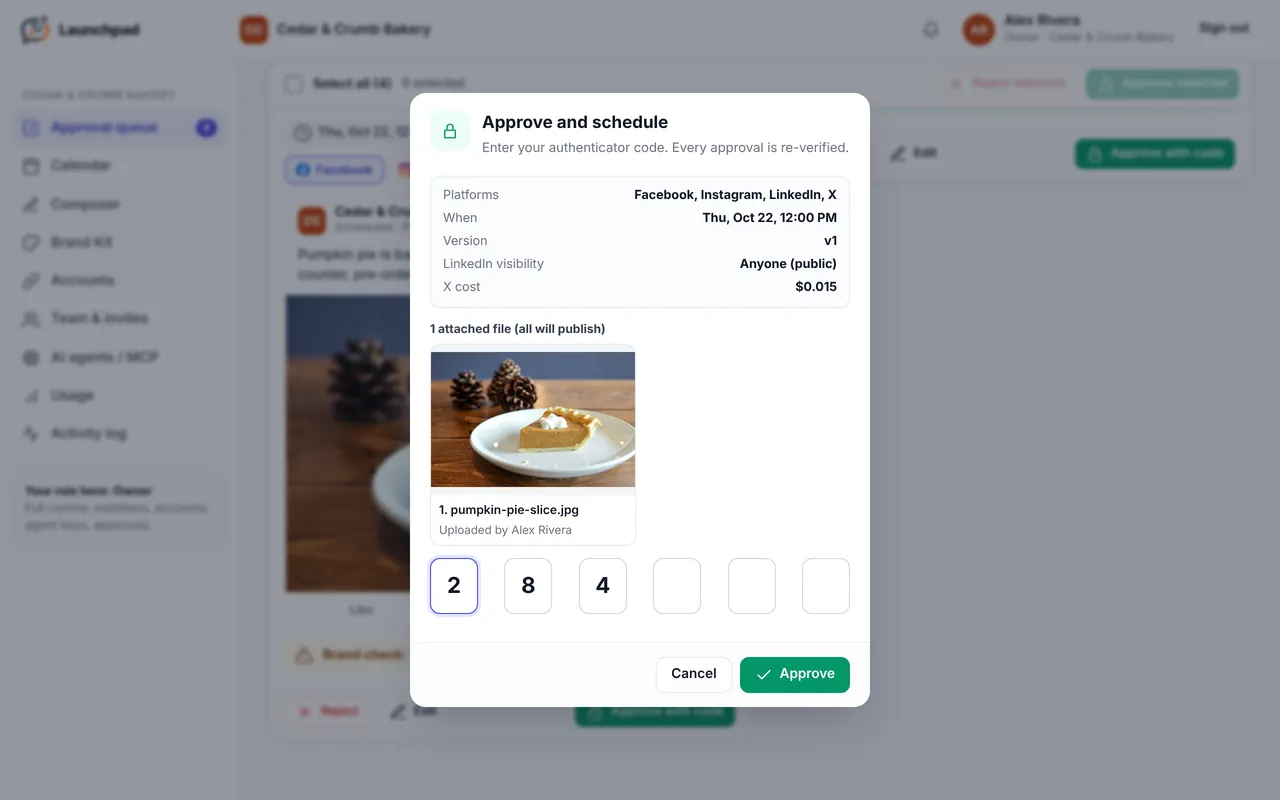
The Approve and schedule dialog: networks, time, version and cost, the attached photo, and six boxes for the authenticator code.
Nothing publishes until someone approves it with an authenticator code.
Calendar week view with pending and approved posts for a fictional bakery spread across the week, each with network icons and a thumbnail.
A week of scheduled posts. Drag one to a new time to reschedule.
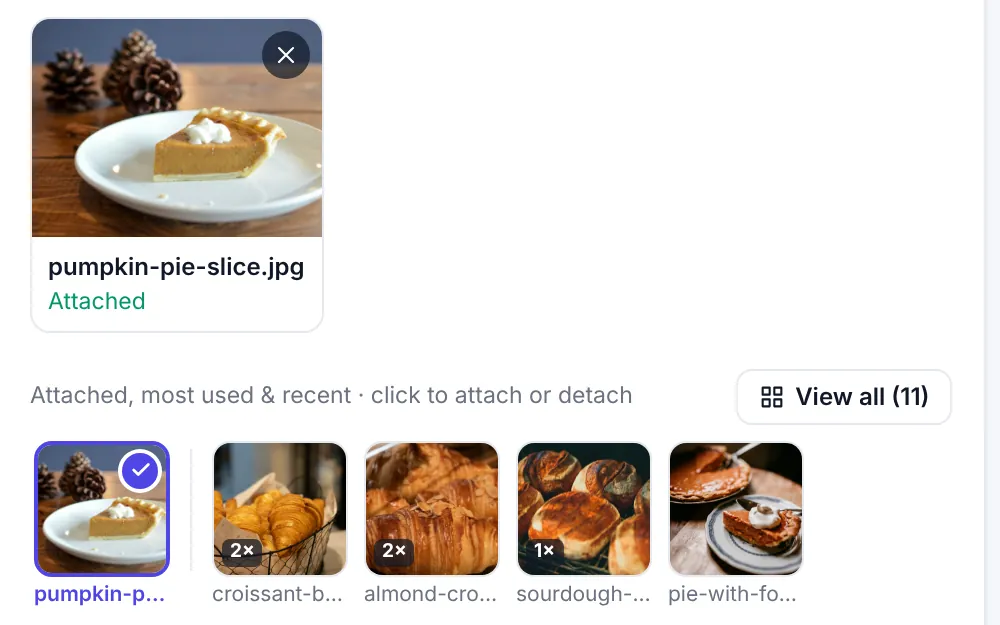
The composer media field: an attached photo and a strip of small square thumbnails with use counts and a View all button.
Your media library in a compact strip: attached first, then most used and newest.

Screenshots use demo data for a fictional bakery.

What beta testers get

  • Early accessUse Launchpad on your own accounts before it opens up.
  • $5/month in posting creditsCredits toward your posting, every month of the beta.
  • A direct line to the teamTalk to Joel, who builds Launchpad, and the Launchpad team, not a ticket queue.
  • Shape the roadmapYour feedback decides what gets built next.
  • Hands-on setupThe Launchpad team sets up your workspace and helps you connect your accounts.

First 10 spots open now, more waves to follow. Testers are picked by hand so each one gets real attention. Signed up after the first 10? You’ll join the next wave.

Questions and answers

Why only 10 testers?

So the Launchpad team can give each tester real attention and fix problems fast. Facebook and Instagram testers also have to be added to Launchpad’s Meta app by hand for now (see the limitations below).

More waves will follow. If the first 10 spots are taken, sign up anyway and you’ll join the next wave.

What does it cost during the beta?

Nothing. There’s no charge to testers during the beta, and you get $5/month in posting credits included.

Do I have to use AI?

No. You can write every post by hand in Launchpad’s composer, with per-network text, previews and scheduling. Connecting an AI agent is optional, and you can mix both: let an agent draft some posts and write others yourself.

Which AI agents work?

Claude, ChatGPT, Grok and other AI agents that support MCP. Some connect today and others are coming soon. The Launchpad team will help you get yours working during setup.

How do you expect to price it later?

This is our current plan, and it may change. Nothing here is final.

  • About $10/month, with as many connected social accounts as you like. $5 of that is posting credit.
  • One post fee covers one account on each network. Each extra account on the same network is another fee. For example, a text post to X, Facebook and LinkedIn is $0.05; the same post to two Facebook Pages (or two X profiles) is $0.10.
  • Expected rates per post: about $0.05 for text, $0.08 with an image, video, or PDF, and $0.25 for an X post with a link (X charges more for links).
  • We plan a discount for paying by bank transfer (ACH) instead of card.

Testers will hear about pricing before anything is charged.

What are the limitations right now?
  • Facebook and Instagram: Launchpad’s Meta app hasn’t been through Meta’s app review yet, so only people added as testers on the app can connect. The Launchpad team sends you an invite, you accept it in Facebook (developers.facebook.com/requests), then you connect your Pages. X and LinkedIn connect without this step.
  • Networks today: X, Facebook Pages, Instagram (a professional account linked to a Facebook Page) and LinkedIn personal profiles. Not yet: TikTok, Google Business Profile and LinkedIn company pages.
  • Media: 5 GB of storage per workspace (delete old files to free space), videos as MP4 up to 95 MB, and Instagram photos must be JPEG.
  • Approval: every post needs a person to approve it with a code from an authenticator app, including your own posts. That’s by design.
  • It’s a beta: expect rough edges and the odd bug. Tell the Launchpad team and we’ll fix it.
How can I shape the product?

You get a direct line to Joel, who builds Launchpad, and the Launchpad team. Tell us what’s missing, confusing or broken. Testers’ requests move to the front of the roadmap, and we’ll ask for your input on pricing before it’s set. Not every idea will get built, but every one gets read.

Is my data safe? Who sees my posts?
  • Your social account tokens are stored encrypted, with a separate key for each workspace.
  • Nothing is posted without approval: a person in your workspace approves each post with an authenticator code.
  • AI agents can draft and submit posts, but they can never approve or publish.
  • Only people you invite to your workspace see your posts.
Can I leave the beta?

Yes, anytime, and there’s nothing to cancel. Disconnect your accounts on the Accounts page (that deletes their stored tokens right away) and ask the Launchpad team to delete your workspace and its content. See Data deletion.